



Imagine you’ve finally thought of the perfect Twitch name, only to find out it’s already taken. How frustrating, right? But don’t worry! The fact that your desired username is unavailable doesn’t mean you have to rebrand or start from scratch. Many Twitch names are held by inactive users, bots, or streamers who used the platform once and never returned.
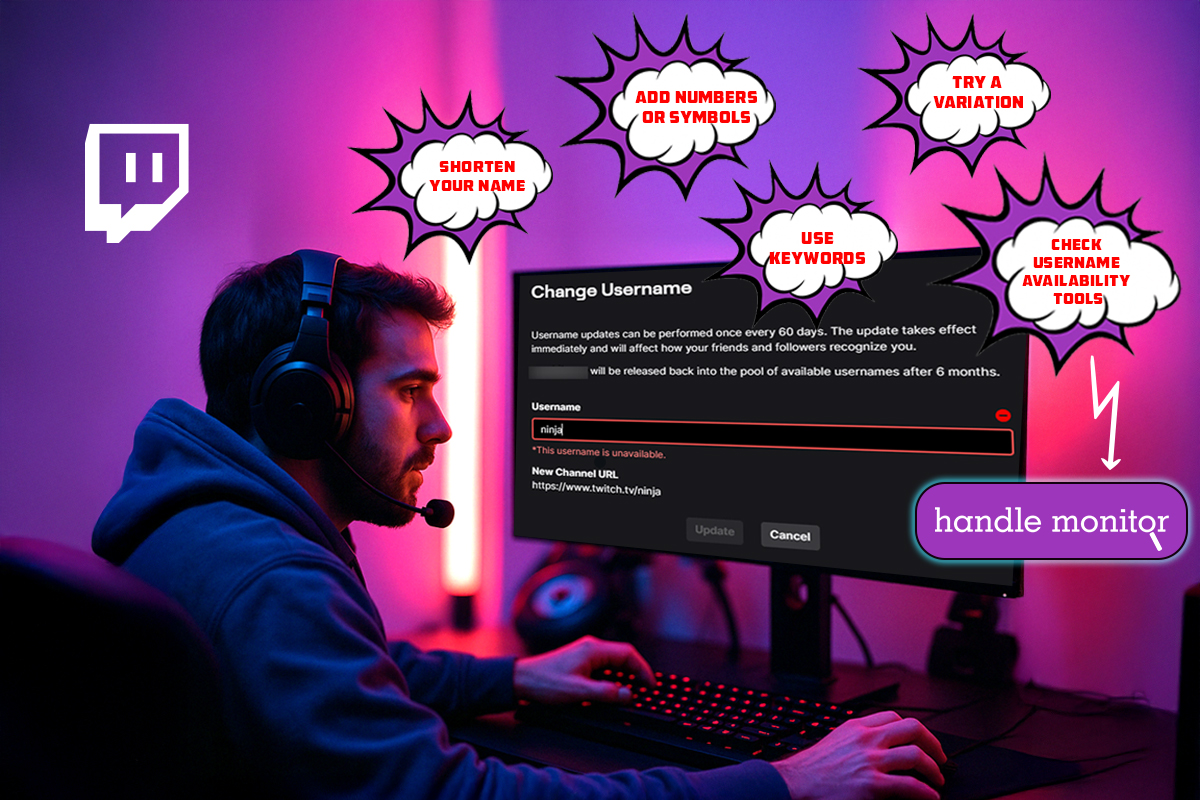
You can take advantage of this by claiming these unused names. Unfortunately, Twitch doesn’t make the process any easier, which is why we created this guide to walk you through five practical, brand-safe fixes to help you work around a taken username without losing your identity.
Before we get started, use this Twitch username availability checker to confirm if your name is truly unavailable.
5 Smart Fixes for When Your Twitch Username Is Taken
Before you consider changing your entire brand, let’s take a step back and analyze how best to handle this situation. We will guide you through practical, non-rebranding, and brand-safe strategies to boost your chances of getting the username you want. Let’s dive in!
1. Add a Unique Twist to Your Name
If you’re already thinking of giving up on your perfect Twitch name, hold on for a moment to see if all you need is a simple tweak. Sometimes, a small adjustment is all it takes instead of a complete rebrand.
You can add clean and familiar suffixes like TV, Live, Official, YT, or Streams. Or try prefixes such as “The,” “Its,” “Real,” or even initials like “OG” or “Mr.” For example, if “PixelPlay” is taken, “PixelPlayTV” or “ThePixelPlay” might still be available.
Remember to keep your edits simple, clear, and true to your brand, making it memorable for the average user. Avoid numbers or confusing spellings that make your name hard to remember or search. Once you’ve modified your name and found a new variation, check its availability on other platforms for brand consistency.
2. Use Symbols or Underscores Sparingly
Another approach is to add a small symbol to create a unique variation. Adding an underscore (_) or a period (.) is a subtle change that keeps your name recognizable while making it distinct. For example, if “GameZone” is taken, try “Game_Zone” or “Game.Zone.”
While this can be helpful, be cautious not to overuse symbols. Excessive symbols can make your name hard to read, difficult to type, and may even come off as spammy. The best practice is to stick to one small change at most.
If placing the symbol in the middle doesn’t work, you can position it at the beginning or the end. Your goal should be to create a name that is smooth, simple, and professional, as this can also impact your credibility and discoverability. Viewers are more likely to remember and search for names that are neat and easy to spell.
3. Set Alerts to Monitor Username Status
Manually checking the availability of a Twitch username can be frustrating and time-consuming. You may find yourself visiting the same profile repeatedly, hoping it’s finally free to use. Unfortunately, Twitch doesn’t notify you when a username becomes available, so if you’re not checking regularly, someone else might grab it before you even notice.
But what if there’s an easier way that can save you time and effort? This is where the Handle Monitor tool comes in. It allows you to set up automatic alerts for any taken Twitch username. As soon as it becomes available, you’ll receive an instant notification so you can claim it right away.
Here’s how to use the tool:
- Go to Handle Monitor
- Enter your desired Twitch username
- Choose Twitch as the platform
- Add your email to get alerts
- Click “Start monitoring now.”
The process is simple and guarantees peace of mind, as you won’t have to keep checking Twitch profiles to confirm when a handle becomes available.
4. Reach Out to the Current Username Holder
If the username is already taken but you notice that the account seems inactive, you can attempt to reach out to the current holder. Many Twitch names are claimed by casual users, bots, or people who streamed once and never returned.
Start by checking their Twitch bio or linked social accounts for any contact information. If you can’t find anything, try searching their username on platforms like Twitter to see if they have an active profile elsewhere that you can reach out to.
Then, send a polite and respectful message, asking if they’d consider releasing the name, especially if they no longer use it. It’s important to note that Twitch doesn’t allow direct transfers, so they’d have to free up the name voluntarily. If they agree, you will need to claim it quickly before someone else does.
While this option doesn’t always work, it has helped some creators recover their preferred names.
5. Claim a Close Match on All Other Platforms First
Even if your ideal Twitch username is taken, you can still build a strong brand around it by claiming the same name, or a close match, on platforms like YouTube, Twitter, and TikTok. This helps lock in your identity across the internet while you wait for the Twitch name to become available.
If you’re using Handle Monitor to track that Twitch name, you’ll receive a notification the moment it becomes available. By then, you’ll already have your full brand presence in place, ready to kick off regular activities.
As a bonus, having an active brand elsewhere can boost your credibility. It may even encourage the current Twitch holder to release the name when they see you’re consistently using it and probably need it more than they do. This strategy keeps your branding intact and positions you to act quickly.
Conclusion
Just because your ideal Twitch username is taken doesn’t mean it’s the end of the road. With the right approach, it’s entirely possible to secure a close variation or even claim the original name without compromising your brand identity.
From adding small twists and using symbols wisely to setting alerts, reaching out, and building your brand across platforms, these five smart strategies offer you alternatives. Start with the quick fixes immediately, and don’t forget to set up username alerts using Handle Monitor to stay ahead.
Comments